Three Ways to Back Up a Household, Judged on the Restore Rather Than the Upload
Sync, external drive, and versioned backup service compared on the thing that matters: whether a file comes back intact on an ordinary Tuesday evening.
Hilde Brekke·6 min read·1,306 words
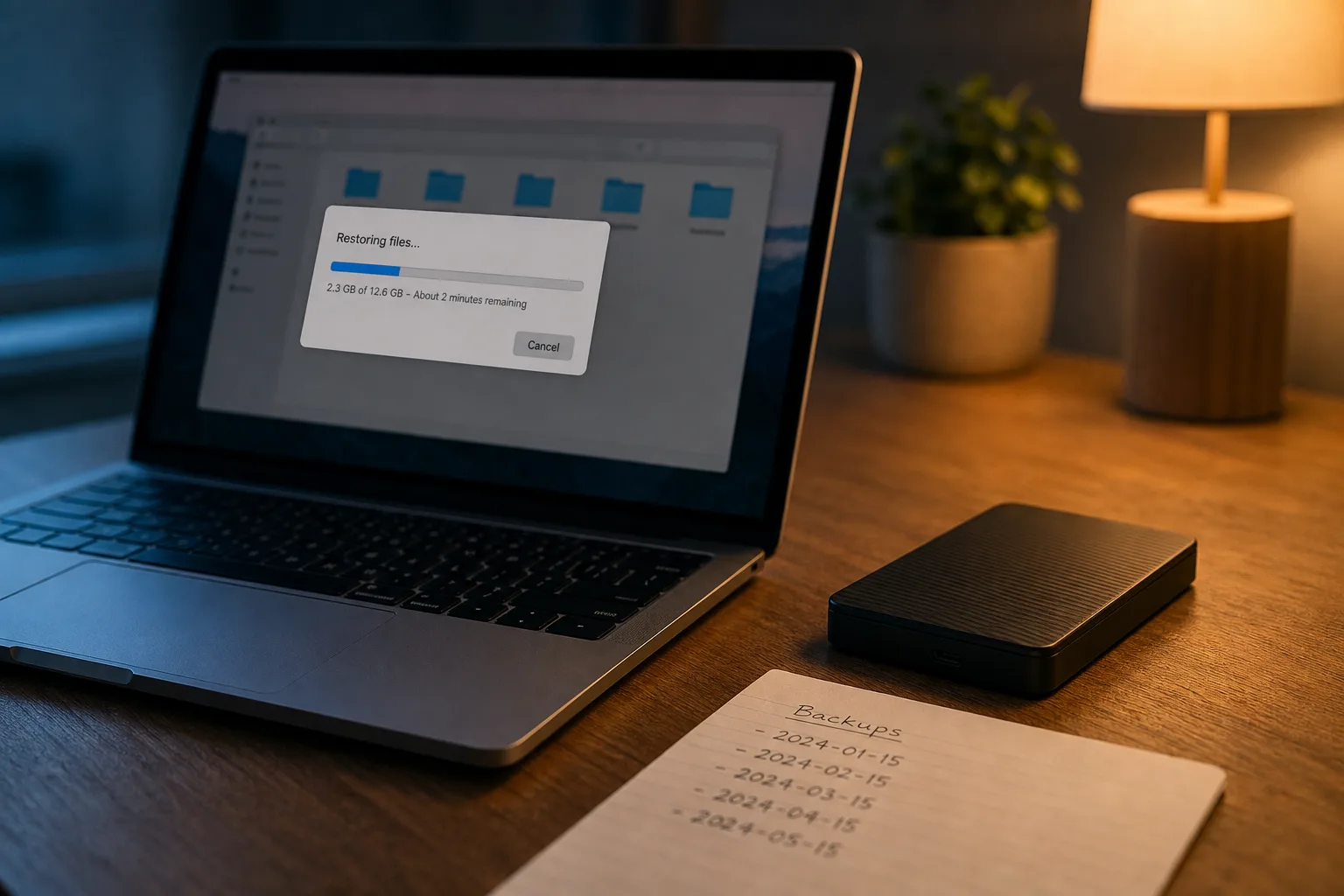
The word doing the most damage in this subject is backup, because people apply it to three arrangements that behave nothing alike when something goes wrong. A folder that mirrors itself to a server is a copy, and a copy of a corrupted file is a corrupted file. A drive on the desk holds a version from whenever you last remembered it, which for most households is a date they cannot name. A service that keeps dated versions and holds them past the point of deletion is the only one of the three that survives the failure people actually experience. Judge them on the return trip.
Copy, snapshot, archive: the naming decides what you are owed
Vendors are careful here in a way that is worth reading closely. Consumer sync products describe themselves as storage and file access, and their terms usually promise availability of the service rather than recoverability of your data, which is a narrower commitment than it sounds. Products that use the word backup tend to add versioning and a retention window, thirty days being common, and the retention window is the actual product. An archive is different again: a copy you intend to keep for years and never edit, which changes the media you should want and the checks you should run. When someone tells you their files are backed up, the useful question is which of those three they mean.
Standards bodies have been unusually plain about this. The National Institute of Standards and Technology is responsible for the federal cybersecurity guidance that most private-sector frameworks borrow from, and its recovery material treats a backup as unproven until a restore has been performed and the result verified against the original. That framing is the one to adopt at home, because it moves the burden off the copying step, which software handles well and reports cheerfully, and onto the reading step, which nothing reports on at all unless you ask. A green check mark confirms that bytes left the house. It does not confirm that they can come back.
What a week actually looks like with each option
Sync is the quietest of the three and that is both its strength and its main flaw. Files move as you save them, nothing needs remembering, and a laptop lost on a Thursday costs you almost nothing. The trouble arrives when the change you want undone is a change you made: a document overwritten, a folder deleted, a photo library reorganized badly. Sync propagates that within seconds to every device you own, faithfully, because propagating changes is the job. Most providers keep deleted items and prior versions for a limited period, and knowing that period, in days, is the difference between an inconvenience and a loss.
An external drive reverses the profile. It is cheap, it is fast, a full restore runs at cable speed instead of over your upload, and nothing you do online can reach it while it is unplugged. That last property matters more than it used to, because encryption attacks go looking for connected storage and network shares. The weakness is human and entirely predictable: drives left permanently attached become part of the same failure, and drives left in a drawer accumulate months of drift. A drive that is current through last March is an artifact, not a recovery plan, and it will feel like a plan right up to the hour you need it.
A dedicated backup service is the least interesting to live with and the most dependable to test. It runs on a schedule, keeps dated versions, holds deleted files for a stated retention period, and lets you pull a single file or a whole machine. The costs are real: a first upload measured in days rather than hours, a monthly fee, and a full restore that depends on your download speed unless the provider will ship you a drive. What you buy is a timeline. Being able to ask for the version from two Fridays ago, and get it, is the capability the other two arrangements only approximate.
Which flaws matter and which are only cosmetic
Plenty of complaints about backup software are about finish rather than function. A dated interface, an installer that wants a restart, a status window that reports in bytes nobody can parse, a mobile app that is clearly an afterthought: none of that touches whether your files come back. Nor does the absence of features that sound reassuring and rarely get used, like elaborate scheduling or granular bandwidth throttling. I would take a plain, ugly tool that restores a folder in two clicks over a polished one that buries recovery three menus deep, and the second kind is more common than you would expect given what the product is for.
The flaws that matter are few and specific. First, silent failure: a client that stops running after an operating system update and does not tell you, which is why the date of the last completed job needs to appear somewhere you look anyway. Second, a retention window shorter than the time it takes you to notice a problem, because slow-burning corruption in a photo library or an accounting file can go unseen for weeks. Third, no path to restore without the original computer, since a drive failure and a theft both leave you standing in front of someone else's machine. Fourth, an encryption key you alone hold and have not written down.
The test, and how small it can be
A restore test does not require a spare computer or an afternoon. Pick one file you would genuinely mind losing, a tax return, a scanned title, a photograph, and restore it from each place you believe it lives, into a new folder rather than over the original. Open it. Confirm it renders, that the spreadsheet totals, that the image is not half gray. Note the date of the version you received and how many steps the process took. Twice a year, extend the exercise to a folder of several gigabytes, which surfaces the problems that a single file hides: throttled downloads, expired credentials, an archive format your machine cannot open.
What that habit produces is a set of numbers you can use. How long until the file was in your hands, how far back the versions go, whether the copy on the desk drive was current or stale, and what the process cost you in attention. Households that run this even once usually reorganize on the spot, most often by moving the irreplaceable material, photos and documents and financial records, into a versioned service and demoting the external drive to the fast local copy it is good at being. The decision gets easy when the evidence is your own.
Where the law and your insurer enter the picture
Anyone running a business from the house sits under rules the rest of a household does not. State breach notification statutes turn on whether personal information was acquired by an unauthorized party, and being able to show what a system held, and when, is part of answering that. The Federal Trade Commission's safeguards requirements reach a good many small operations that do not think of themselves as financial institutions, tax preparers and mortgage brokers among them, and they contemplate written plans and tested controls rather than good intentions. Insurance follows the same logic: a policy that covers data restoration will ask what you had, and a dated restore log answers in one line.
The arrangement worth having, for most households, is not one product but a pair with different failure modes: a versioned service holding everything that cannot be rebought, and a drive that lives unplugged in a drawer and gets connected on the first Saturday of the month. Then one restored file, opened and read, on a date you can name.